
Browser portal
No desktop app
Start Lumine, manage accounts, and get setup help from the web dashboard.
Start Lumine from your browser, join from Bedrock, and run command hacks on console, Android, iOS, and PC. Start free, use Stardust when needed, or upgrade to Eclipse for full access.
Browser portal
No desktop app
Device support
Console · Android · iOS · PC
Cheat access
Free · Stardust · Eclipse
Join the Lumine Discord. Get 30 Stardust.
New 6-character linkConnect with one short /link code and automatically sync your Eclipse member role while access is active.
Invite a friend. Get 30 Stardust each.
After a new player connects for 10 minutes, both players are rewarded automatically. Find your link in the dashboard.
Minecraft cheats
Lumine is built around what players actually need: connect Microsoft, start a Bedrock proxy, join from your device, and use the command tier that fits your session.
Browser portal
Start Lumine, manage accounts, and get setup help from the web dashboard.
Device support
Built for Minecraft Bedrock players who join from the devices they already use.
Cheat access
Start with Free commands, use Stardust for timed Eclipse access, or subscribe for unlimited full access.
Command catalog
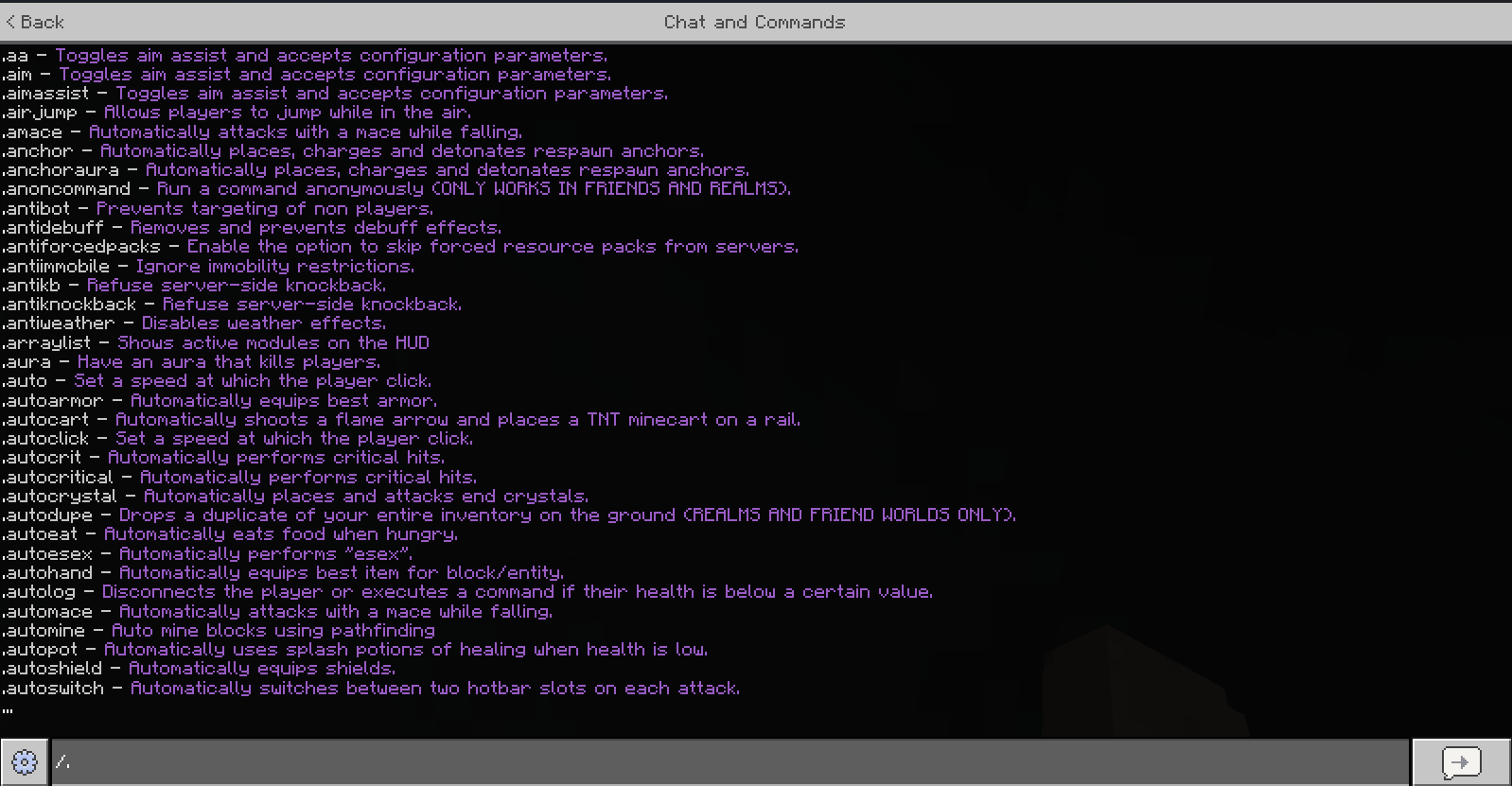
Browse 154 in-game commands across Free and Eclipse, from movement and combat tools to visuals, world helpers, and player upgrades.
full access
112 commands
Includes every Free command. A small number of commands require Membership specifically.
For creators
Publish on your own TikTok, YouTube, or other channel, in your own style. Share your referral link and earn Stardust when new players qualify. Referral rewards are automatic; you do not need to submit each video for review.
Making your first Lumine video? Contact the team on Discord with your channel link, device, and video idea to request recording access: temporary Eclipse access or Stardust for filming. Requests are considered individually; access is not guaranteed. You can also ask about a memorable creator code that viewers can enter at signup.
Current referral terms: 30 Stardust each after 10 connected minutes, up to 10 qualified referrals per 30-day window. Eligibility and anti-abuse checks apply. Disclose any access or rewards provided for your content.
How it works
Lumine routes your Bedrock session so console, Android, iOS, and PC players can use supported command hacks from in-game chat.
Pick a server, Realm, or friend connection and choose the command tier you want for that session.
Lumine opens the route and gives you the join details you need for Bedrock.
Join from your device and use Lumine command hacks from the in-game chat menu.
Why Lumine
Cheats from the browser
Create an account, link Microsoft, pick your destination, and start a Lumine proxy from the portal.
Play across devices
Lumine keeps device setup paths visible so Bedrock players can connect from the platform they use.
Use what fits
Start with free command access. Use Stardust for paid cheat tiers or Eclipse when you want full access.
Plans
Start with the Free tier, spend Stardust at one per minute for full Eclipse access, or choose Eclipse Membership for unlimited time at $9.99/mo.
Free tier
Create an account, link Microsoft, and use the free command tier where available.
Stardust Access
Buy or earn Stardust. Every Stardust gives one connected minute of full Eclipse access; waiting time is free.
Lumine Eclipse Membership
Billed by Stripe. Cancel anytime.
How it works
01
Open the portal and use the account you want Stardust, Eclipse, and Microsoft links attached to.
Create account02
Add Microsoft, choose a server, Realm, or friend join, then select the command tier for that start.
Read setup guide03
Launch the proxy, copy the join details, and use the troubleshooting path if anything needs attention.
Open dashboardSupport
Setup, billing, account recovery, and community links are one click away from the homepage.
Learn what Lumine offers before opening the dashboard.
Compare the browser-started proxy flow with downloaded Bedrock clients.
Explore the searchable Lumine command library with individual command pages.
Step-by-step proxy connection guidance for PC, mobile, and console players.
Understand how Lumine avoids desktop installs and manages account access.
Find community support and announcements through Lumine socials.
Ready
Create an account, open setup, or compare Stardust and Eclipse before you pay.